Omni: Save and Reuse Quote Templates
Dealers can now save a quote as a template in Omni and start the next one from it. A rep who sells the same office package every week stops rebuilding it line by line.
Omni is Phoneware’s dealer portal at omni.phoneware.cloud. Representatives can access templates under the Quotes tab by selecting the Templates view, or launch directly from the New quote menu.
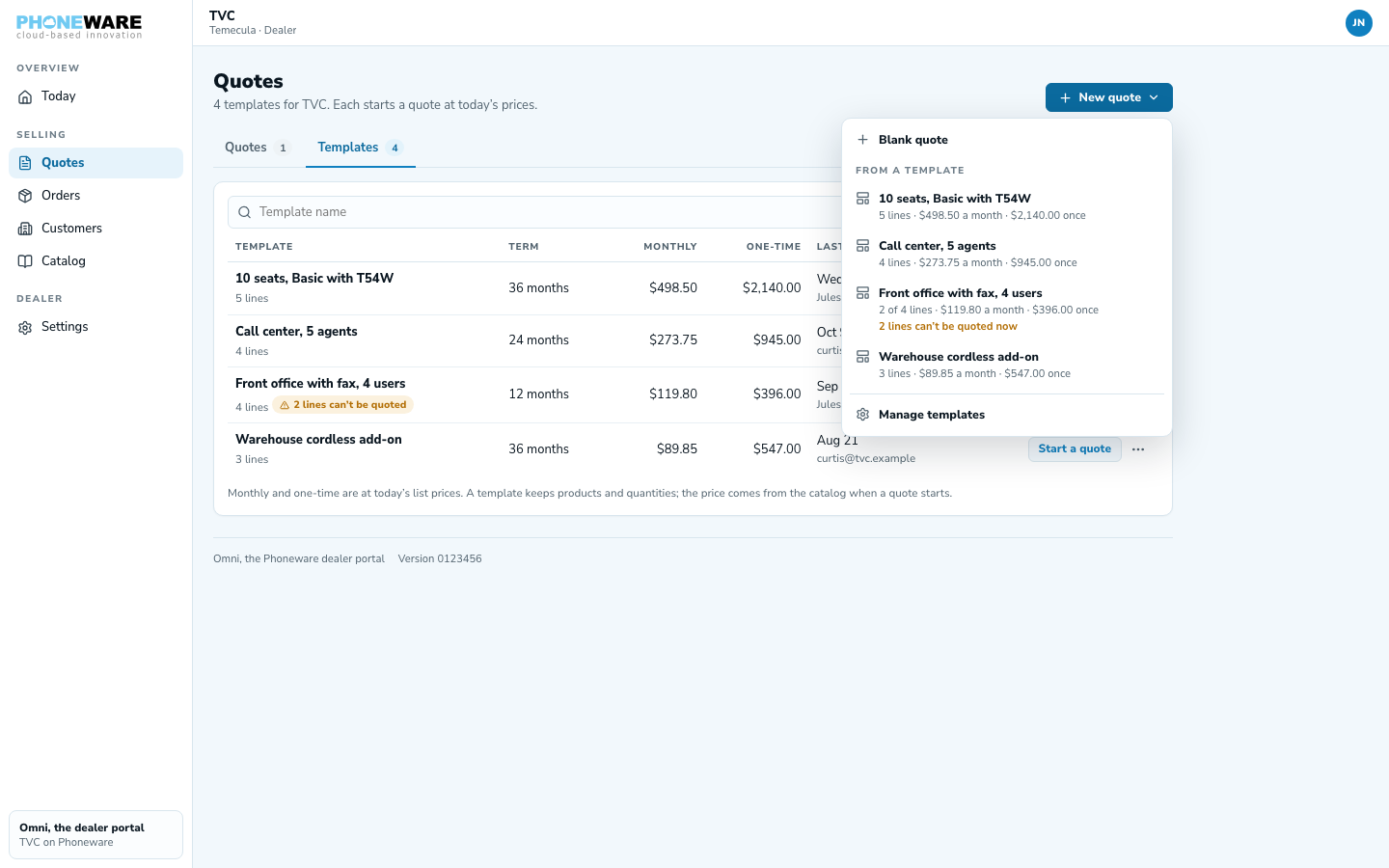
Save any quote as a template
Any quote can become a template. When a rep builds a package they sell again and again, such as a four-user front office or a ten-seat call center, they save it under a name. Everyone at the dealer can start from it.
Two-click quotes with live catalog pricing
Templates keep the products and quantities, not the prices. When a rep starts a quote from a template, Omni prices every line from today’s catalog, so a price change since the template was saved is already on the new quote.
Discontinued lines are left out and named
Catalogs change. If a product on a template can no longer be quoted, Omni leaves that line out of the new quote and names it, with the reason, at the top of the quote. The rep sees exactly what was left out and why.
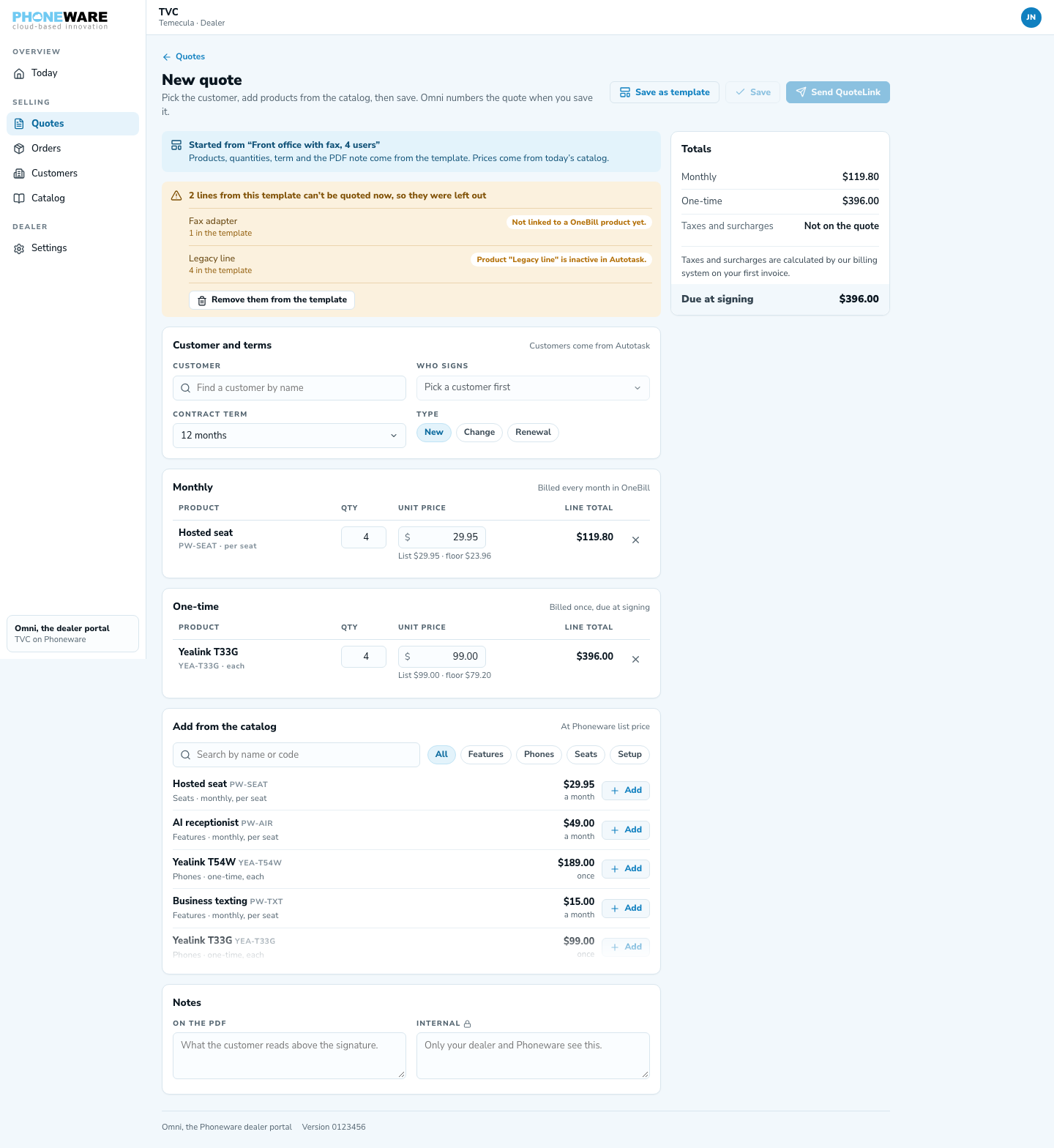
Where it helps
- Standard office packages: quote the usual setup, like four desk phones with cloud fax, while you’re still on the discovery call.
- Faster turnaround: two clicks from Quotes to a priced draft.
- No stale prices: every quote from a template uses today’s catalog prices.
- No retired products: products that can’t be quoted are left out and named before the quote reaches the customer.
Setup
To create a template, open an existing quote in Omni, click Save as template, and enter a name. The template is ready right away in the New quote dropdown.
Want early access to the Omni pilot? Call or text us at 602·445·7777.