Omni: Dealers See Their Own Customers
Dealers using Omni now see their own customers in the portal. A rep building a quote picks the customer from a list instead of asking Phoneware ops for account details or retyping the address and phone number.
Omni is Phoneware’s dealer portal at omni.phoneware.cloud. In the Customers tab, each dealer sees every active customer assigned to their business, whether operating under the Dealer or Reseller model.
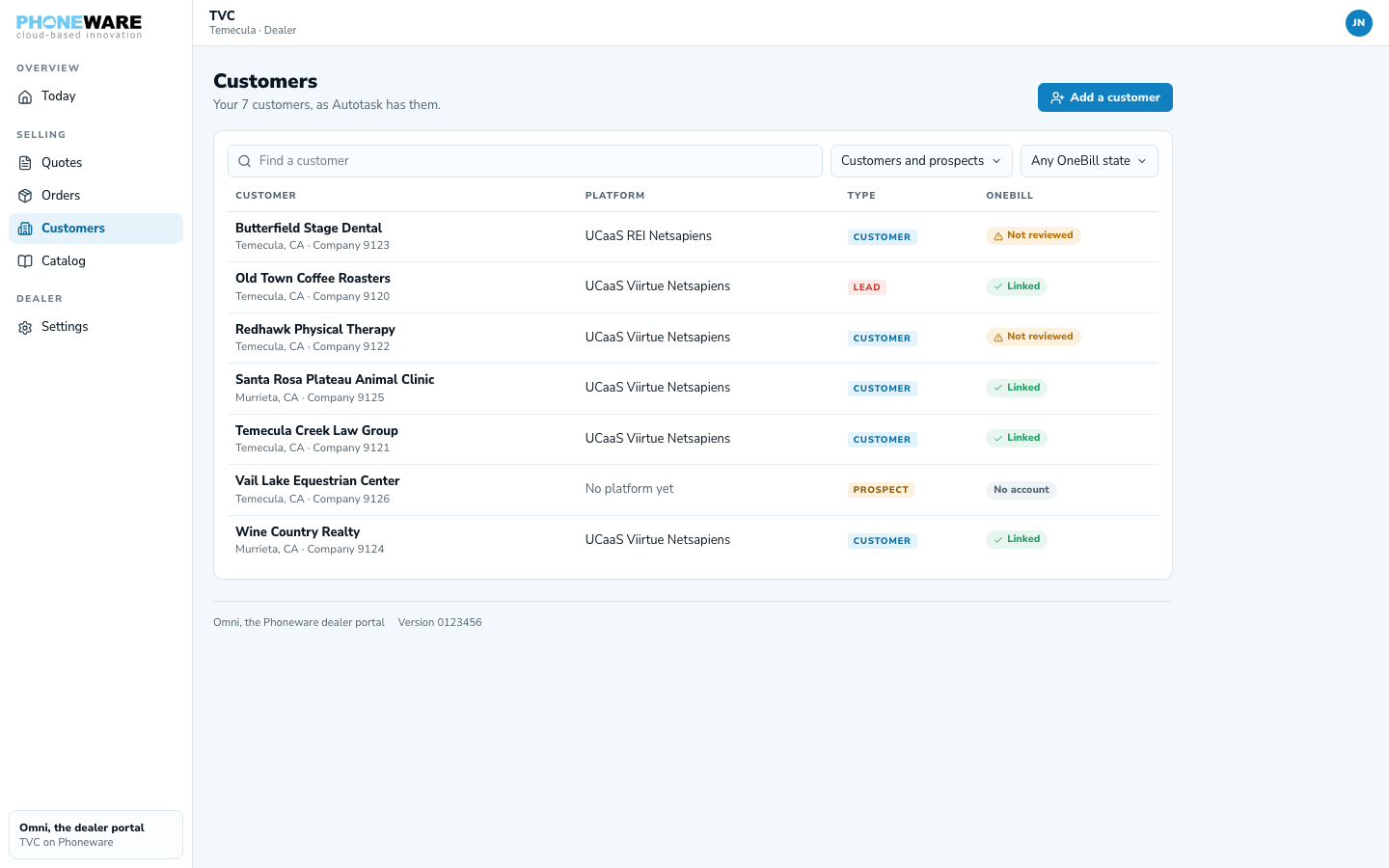
Automatic sync from Autotask
Each dealer is set up as an Autotask company category. Omni automatically syncs every active Autotask customer under that category straight to the dealer’s portal. Account ownership stays aligned across systems: the person who owns the customer account in Autotask displays directly as the Account manager in Autotask on the customer record.
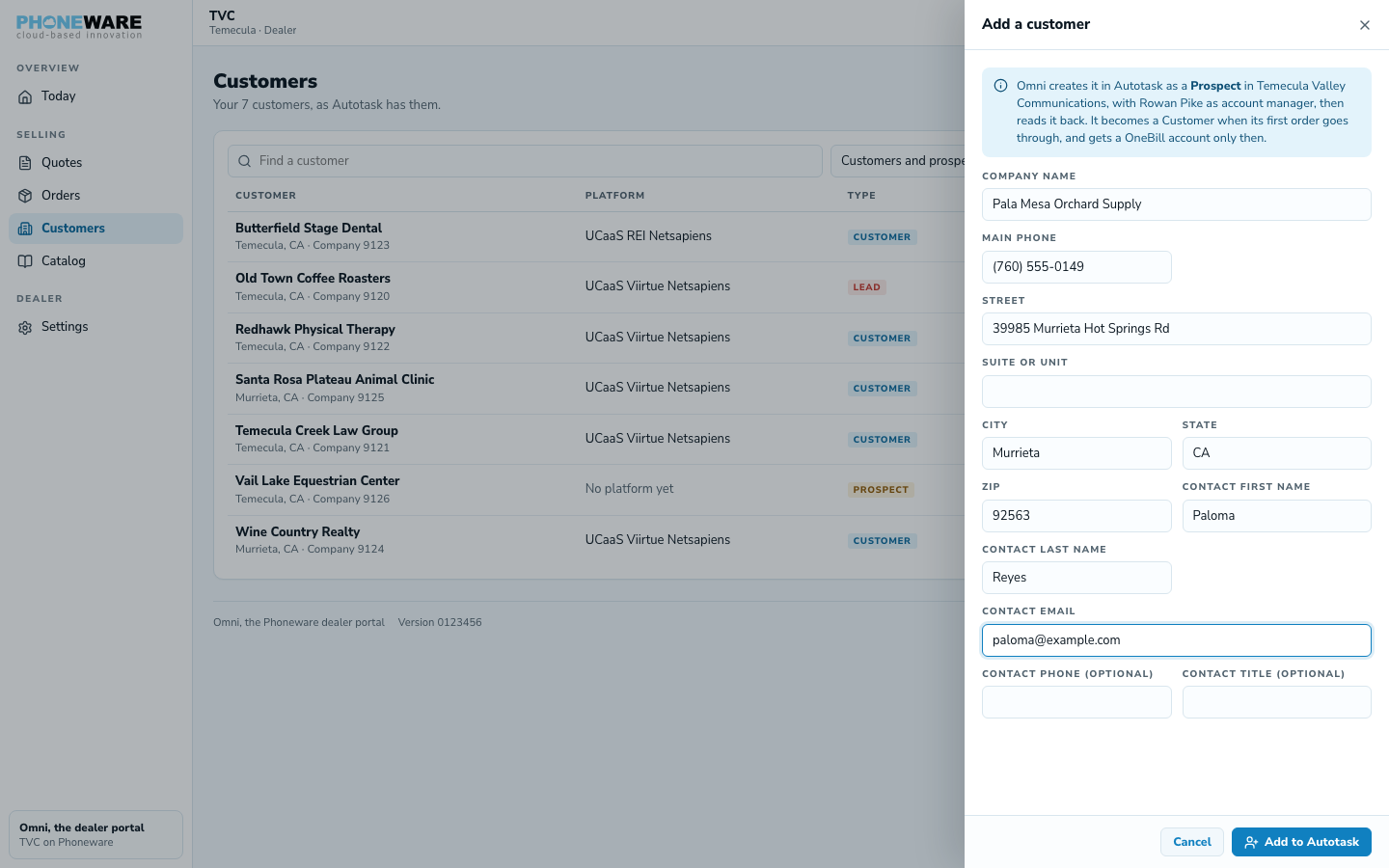
Add a new customer from Omni
When a rep signs a new client, they don’t wait on Phoneware ops to set up the company. They add the customer in Omni, and it lands in Autotask as a Prospect under the dealer’s category and account manager. When the customer’s first order goes through, Omni moves it from Prospect to Customer.
Safeguards against duplicate billing accounts
When an order comes in, Omni checks which OneBill account the customer already has. If it can’t tell for certain, it holds the order instead of opening a second account. Phoneware ops confirm the right account, and the order carries on with the customer’s billing history in one place.
Where it helps
- Starting quotes faster: pick an existing customer instead of re-entering the company name, phone number and address.
- New accounts during the meeting: add the prospect, build the quote and send the QuoteLink before you leave.
- Clear ownership: the account manager from Autotask shows on every customer, so reps know who owns the relationship.
- One billing account per customer: existing OneBill accounts stay the customer’s only account.
Setup
Customer sync is automatic for every dealer in the Omni pilot. Representatives sign into omni.phoneware.cloud with their email link, open the Customers tab, and find their customer list ready.
Want early access to the Omni pilot? Call or text us at 602·445·7777.